The Brisk Chrome Extension is becoming increasingly popular among students, professionals, and especially teachers who want to improve productivity and save time. Powered by AI, this extension helps users write, summarize, and manage content more efficiently directly from their browser.
In this article, we will explore what the Brisk Chrome Extension is, its key features, how it helps educators, and how to download Brisk Chrome Extension easily.
What is Brisk Chrome Extension?
The Brisk Chrome Extension is an AI-powered browser tool designed to enhance productivity while working online. It helps users perform tasks like content creation, summarization, and smart suggestions without switching between multiple tools.
It works directly inside Google Chrome, allowing users to interact with AI while browsing websites, reading articles, writing emails, or creating educational content.
Key Features of Brisk Chrome Extension
Here are some of the top features that make this extension useful:
-
AI-powered writing assistance
-
Instant content summarization
-
Smart replies and suggestions
-
Easy integration with Chrome browser
-
Time-saving automation tools
-
Helpful for students, writers, and educators
These features make it a practical tool for everyday digital tasks.
Brisk AI Chrome Extension for Teachers
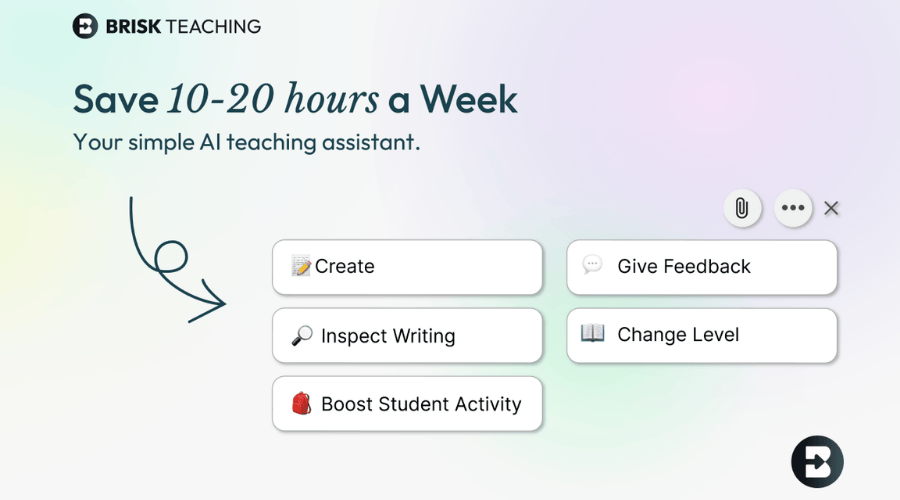
The Brisk AI Chrome extension for teachers is particularly useful in the education sector. Teachers can use it to prepare study materials, generate summaries, and create structured content quickly.
How Teachers Can Benefit
-
Create lesson plans faster
-
Summarize long articles into simple notes
-
Generate assignment ideas
-
Draft emails and announcements
-
Improve classroom content preparation
This extension helps teachers save time and focus more on teaching rather than repetitive digital tasks.
How to Download Brisk Chrome Extension
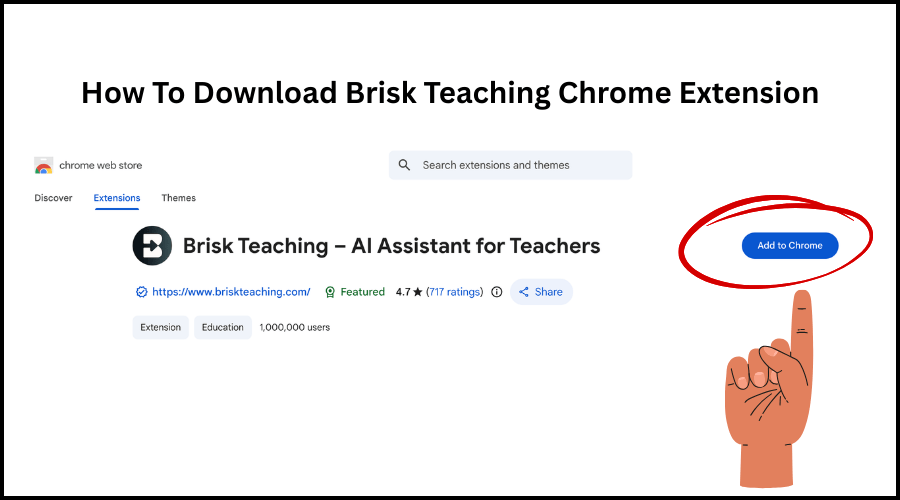
If you are wondering how to download Brisk Chrome Extension, the process is very simple and takes only a few minutes.
Step-by-Step Guide
-
Open Google Chrome on your computer
-
Go to the Chrome Web Store
-
Search for “Brisk Chrome Extension”
-
Click on the extension from the search results
-
Press the Add to Chrome button
-
Confirm by clicking Add Extension
-
Once installed, the extension icon will appear in your browser toolbar
After installation, you can start using the AI features immediately while browsing.
Why Use Brisk Chrome Extension?
This extension is helpful for anyone who spends a lot of time online. Whether you are a student, blogger, or teacher, it simplifies many daily tasks.
Main Benefits
-
Saves time on writing and research
-
Improves productivity
-
Makes content creation easier
-
Helps in quick understanding of long text
-
Ideal for education and professional use
Its AI-powered tools reduce manual effort and improve efficiency.
Who Should Use Brisk Chrome Extension?
The extension is suitable for a wide range of users:
-
Teachers creating study material
-
Students preparing notes
-
Bloggers and content writers
-
Office professionals
-
Researchers
Because of its flexibility, it works well for both learning and professional environments.
Tips to Use Brisk Extension Effectively
To get the best results, follow these tips:
-
Use it while reading articles to generate summaries
-
Try it when writing emails or reports
-
Use AI suggestions to improve content clarity
-
Let it help in organizing information quickly
Regular use can significantly improve productivity.
Final Thoughts
The Brisk Chrome Extension is a smart AI tool designed to make online work faster and easier. From content creation to summarizing information, it helps users manage tasks efficiently without leaving their browser.
For educators, the Brisk AI Chrome extension for teachers is especially valuable as it supports lesson planning, note creation, and communication. If you are looking for a reliable AI-powered browser tool, learning how to download Brisk Chrome Extension and start using it can be a great step toward improving productivity.